Planning & automation
Change log: understand what changed
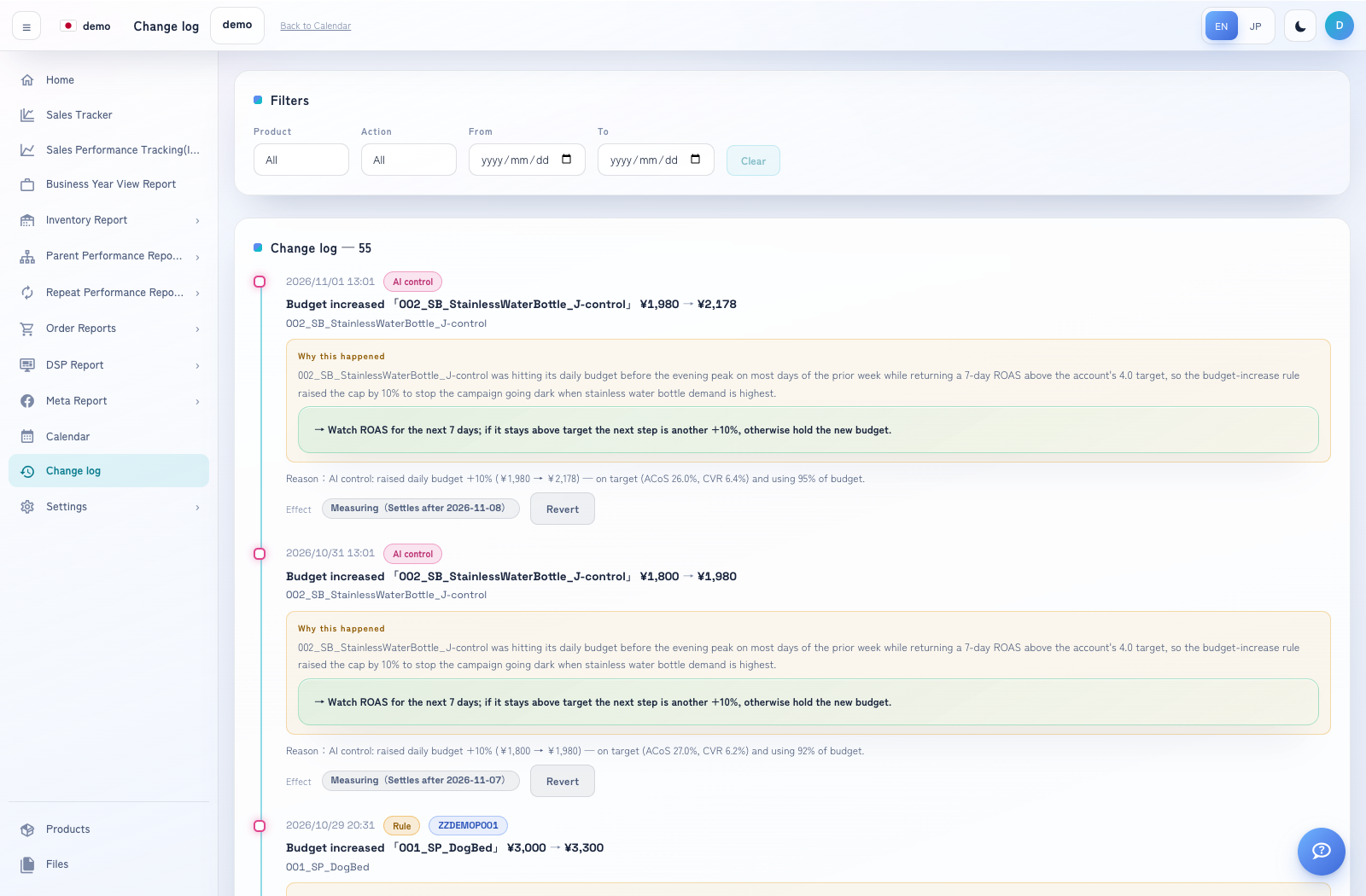
Change log provides an audit view of advertising changes and their available explanations.
How to use this page
Open Change log. Use the available date, channel, action or source filters.
Review when a change happened, what entity it affected and the old/new values.
Distinguish operator, AI and rule-origin changes using the labels shown.
Open the explanation or effect detail where available. Compare the before/after period and check whether the evaluation is settled before interpreting it.