Customers & orders
Repeat customers and purchase cohorts
Repeat Performance Reports helps you review repeat purchasing by product and period.
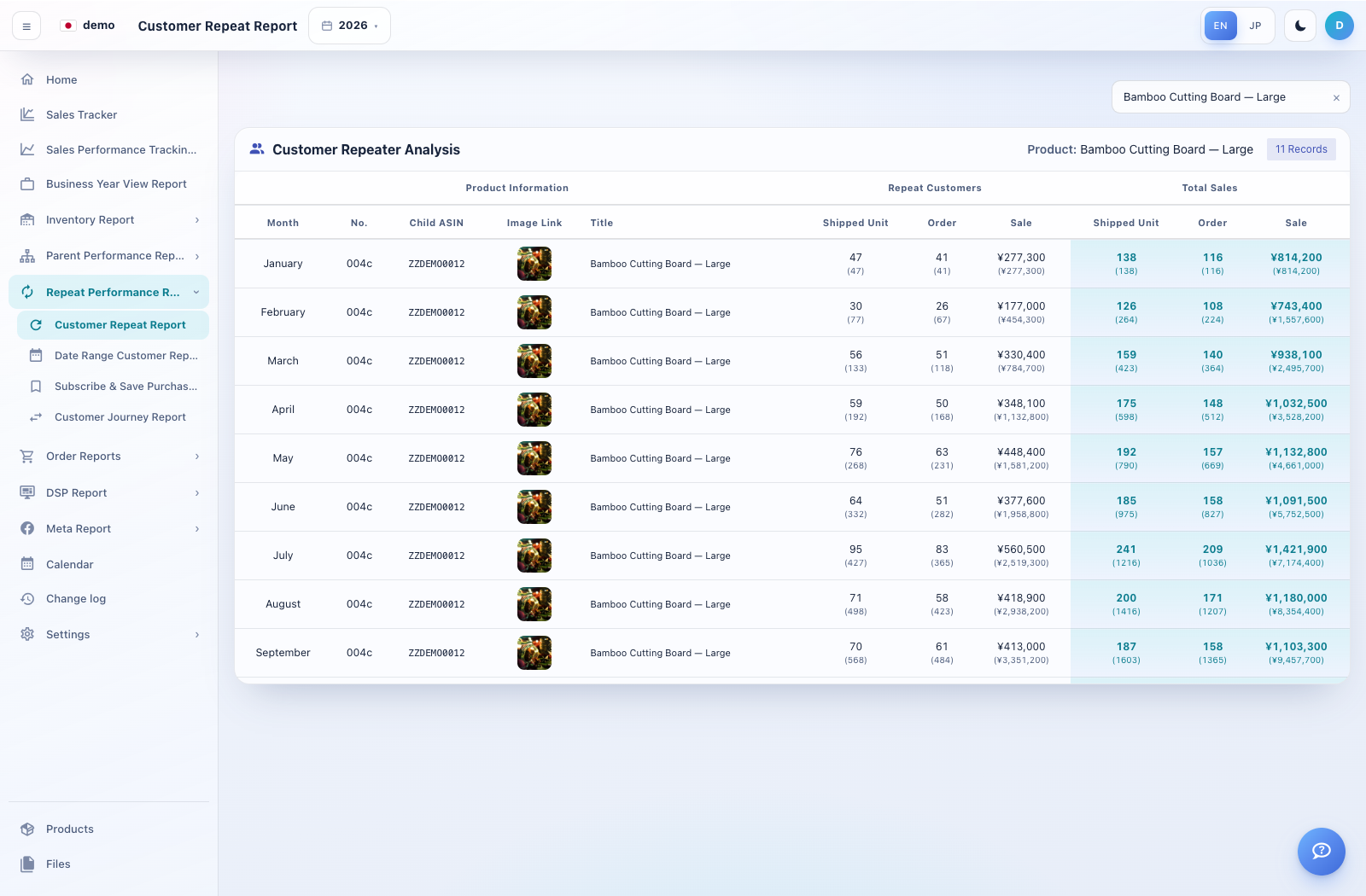
How to use this page
Open Customer Repeat Report and select the year. Review the product analysis shown for repeat customers and total sales.
Compare shipped units, order counts and sales for the same product and month. Review labels carefully where both period and cumulative values are displayed.
For a narrower analysis, open Date Range Customer Repeater Individual Product Report. Use the product/date filters offered on that screen.
Switch between Repeat Analysis and Sale Cohort where available. Use buyer or purchase details to understand whether later sales came from returning buyers.