DSP, AMC & Meta
DSP audience
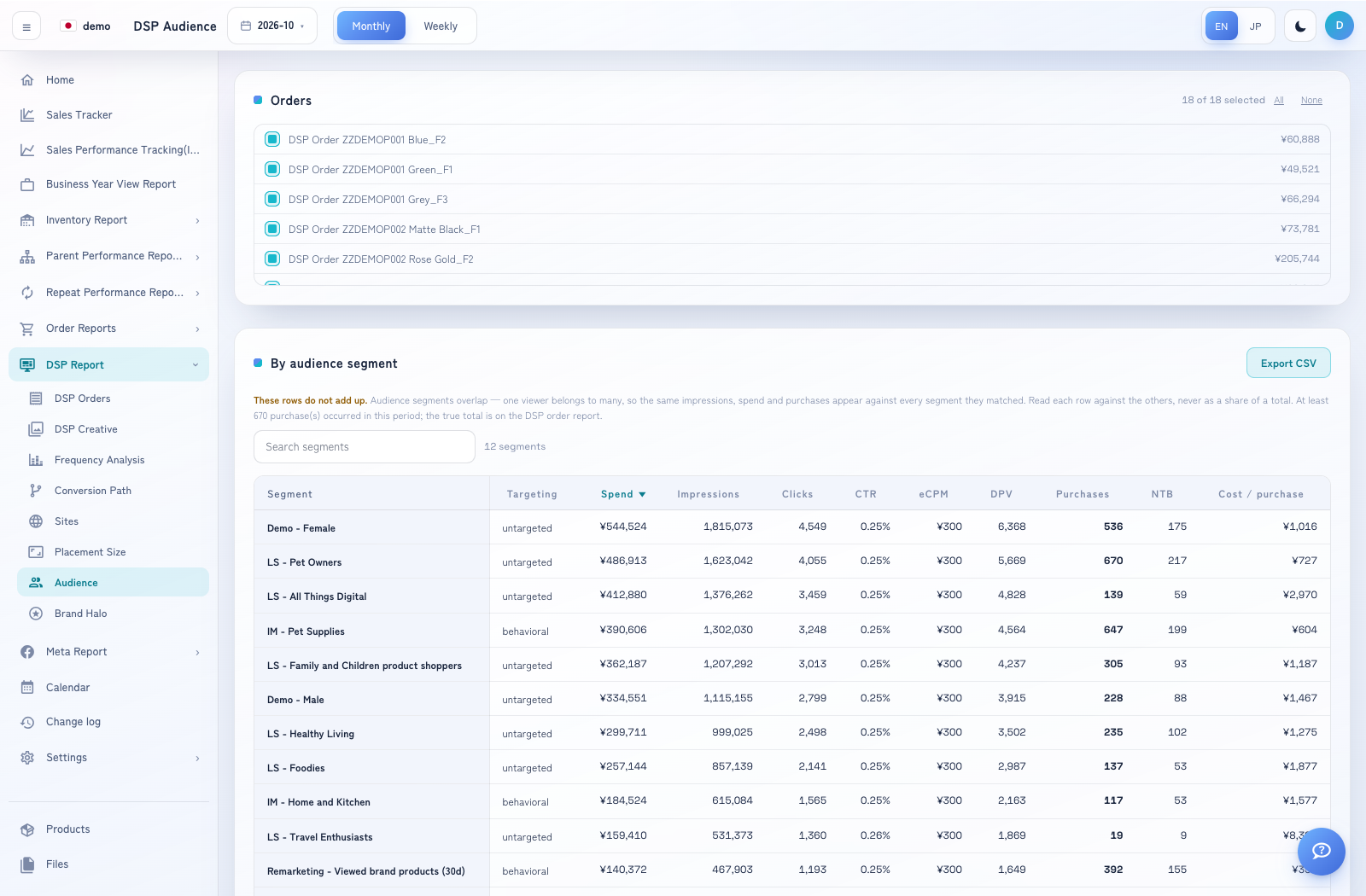
Compare audience segments matched by DSP delivery.
How to use this page
Expand DSP Report → Audience and select the period.
Select the orders to include. All and None can help build the selection.
Compare individual audience rows using their available metrics. Use Export CSV for the displayed analysis.
Use DSP Orders for a deduplicated report total. Do not sum the audience rows: one viewer can match several segments.