Products & data
Products: maintain the catalog
Products identifies the parent/child structure used throughout reporting.
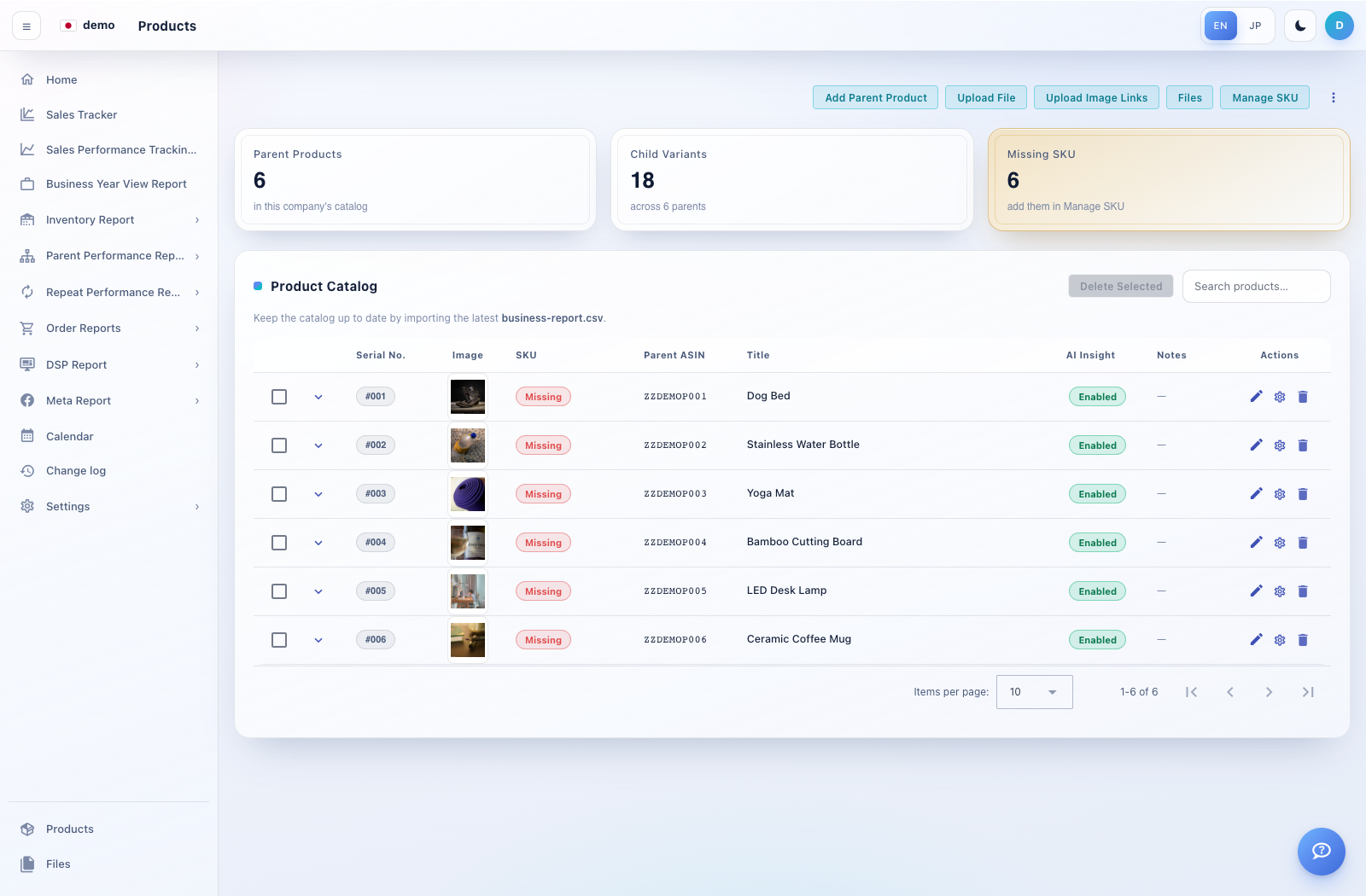
How to use this page
Open Products at the bottom of the navigation. Search or filter using the controls shown.
Expand a parent product to inspect its child variants. Check title, parent ASIN, child ASIN, SKU, serial number and image where displayed.
For a permitted catalog correction, use the corresponding add/edit control, review the parent relationship and save.
Return to the report and select the corrected product. If an import option is offered, use its documented template and review the preview before committing.