Home: review overall performance
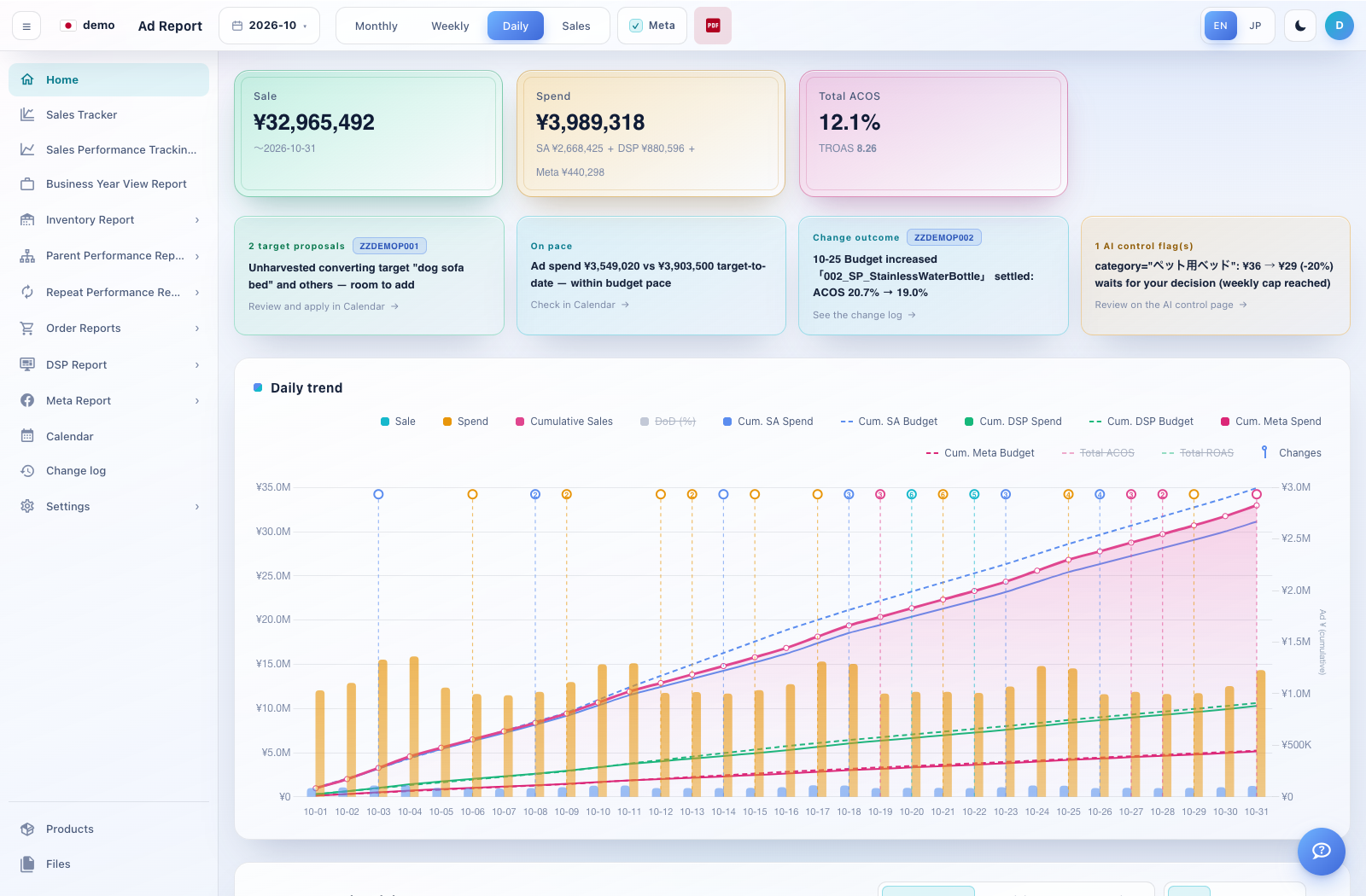
Home is the starting point for a daily review. The top cards summarise sales, spend and overall advertising efficiency; the chart shows how these develop through the selected period.
How to use this page
Choose the month from the date control at the top. Switch between Monthly, Weekly, Daily and Sales as needed.
Read Sale and Spend together. The Spend card separates Sponsored Ads (SA), DSP and, when included, Meta. The Meta switch changes whether that channel is included in supported views.
Review Total ACOS and TROAS with the spend scope shown on the screen. On this dashboard, the displayed overall cost ratio uses total sales as its denominator.
Click chart legend items to show or hide series. Compare cumulative spend against the budget lines and inspect change markers where available.
Scroll to the ASIN selector and summary tables. Choose parent ASINs or a saved preset to focus the detailed view. Review proposal, pacing, change outcome and AI-control cards to find the next page to inspect.