Sales Tracker: compare periods and channels
Use Sales Tracker to review a parent product across months, weeks, days or named sale periods.
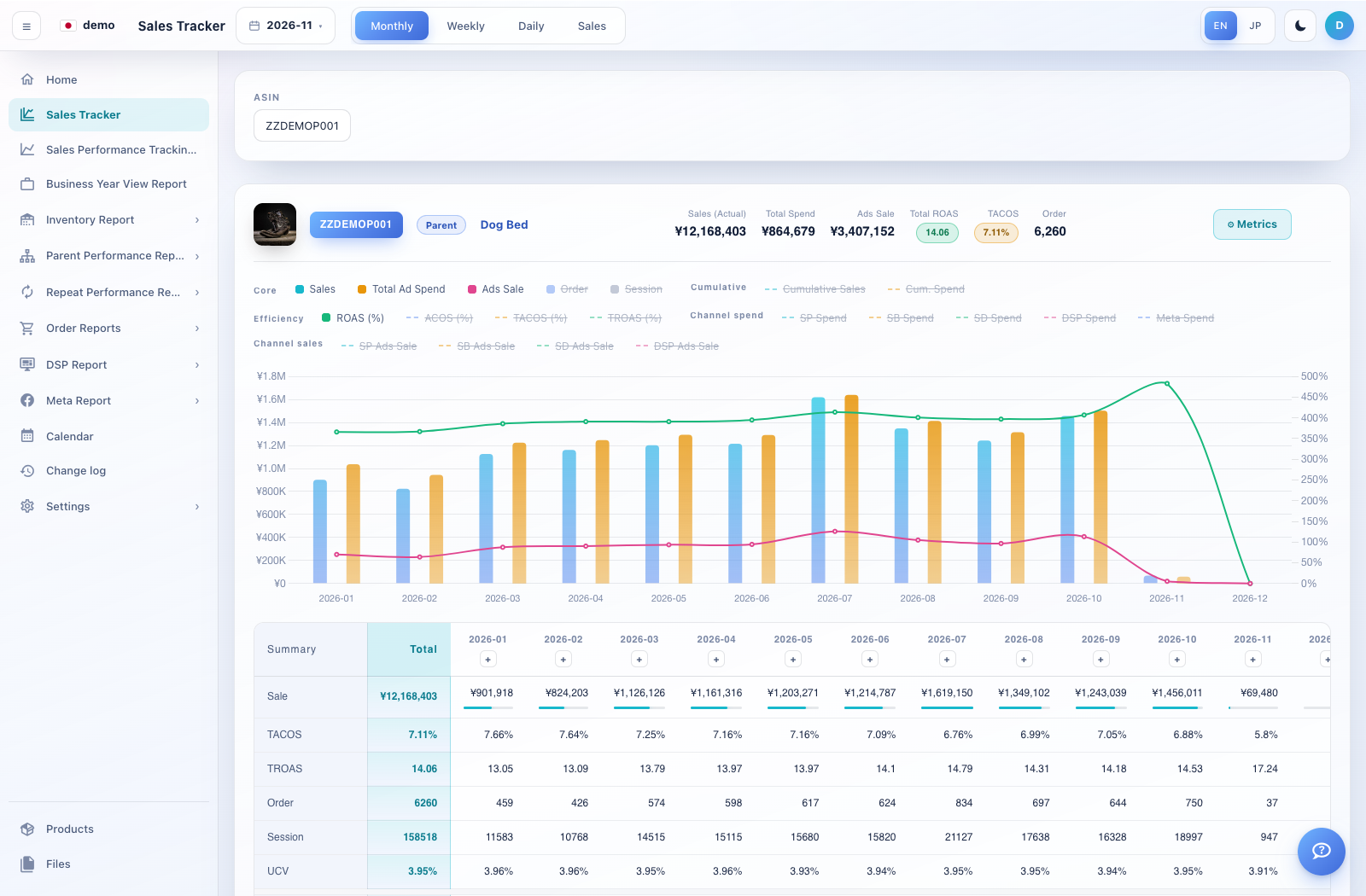
How to use this page
Open Sales Tracker and choose the parent ASIN. In the demo, ZZDEMOP001 is Dog Bed.
Choose Monthly for a year of monthly columns, or Weekly/Daily for a selected month. Select the year/month from the top date picker; Monthly uses the selected year.
Read the summary cards: actual sales, total spend, advertising sales, total ROAS, TACOS and orders. Scroll horizontally to compare all period columns.
Open Metrics to choose the rows you need, such as sessions, channel spend, channel advertising sales or cumulative values. Use the + control above a period column for period notes where offered.
Scroll down to advertising performance and target analysis. Select SP, SB or SD, then use campaign, ad group, target, search-term or match-type filters where shown. Review converting and non-converting results before taking action.