DSP, AMC & Meta
DSP Orders: review spend and attributed sales
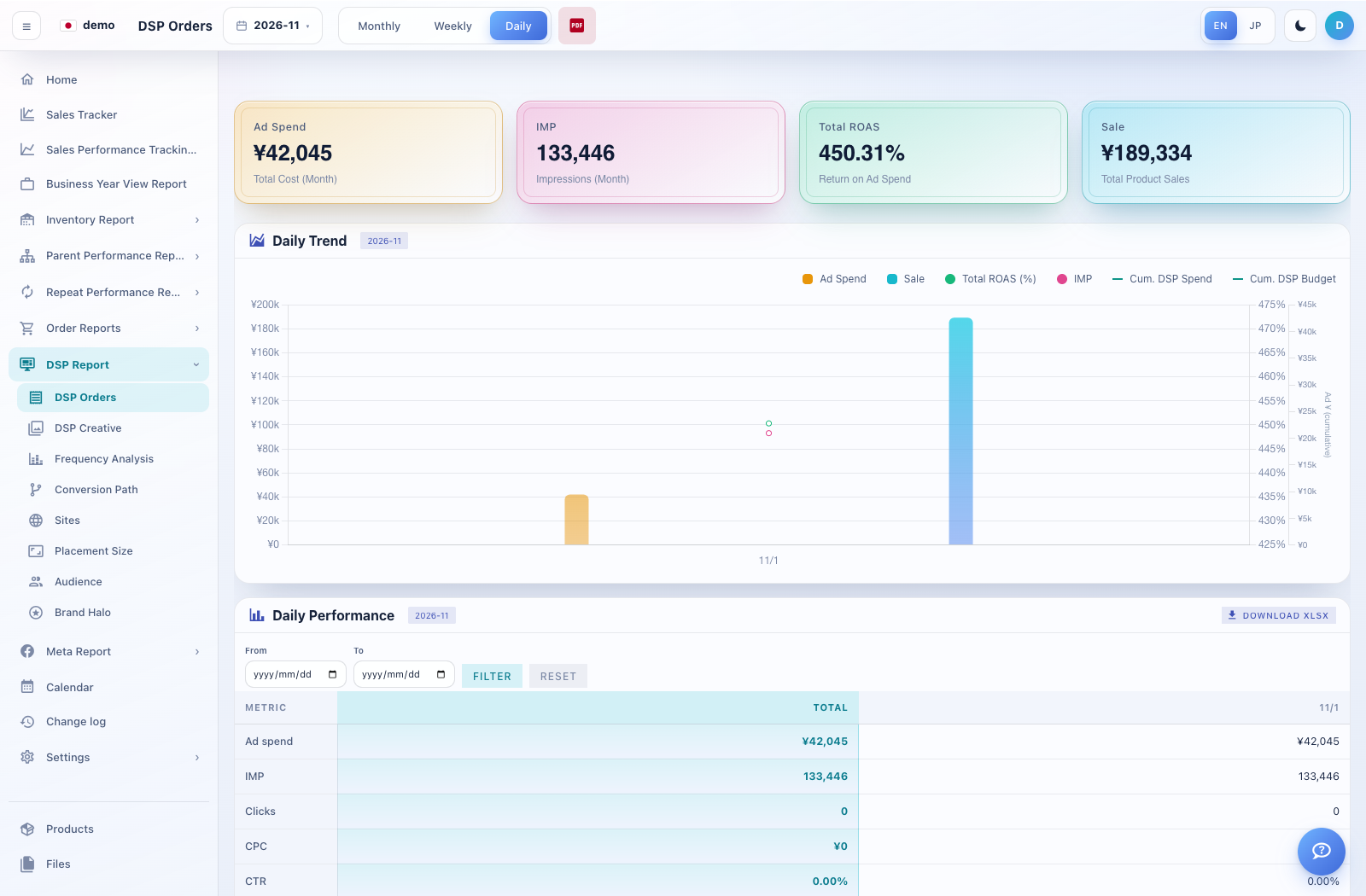
DSP Orders combines headline metrics, a period trend and performance by product/order group.
How to use this page
Expand DSP Report → DSP Orders. Choose Monthly, Weekly or Daily and set the period.
Review Ad Spend, impressions (IMP), Total ROAS and sales. Check whether ROAS is displayed as a percentage or a multiplier.
Use the Daily Performance From/To controls, Filter and Reset to inspect a narrower interval where available.
Scroll to Orders and expand the relevant product or group. Compare the order/line-item details and chart with the overall summary.
Use Download XLSX for the supported table or Export PDF for the report. Confirm your selected dates before downloading.